Kimsufi is a budget brand under French company OVH, specializing in renting high-performance servers at extremely affordable prices. I personally rent the KS-4C model, featuring an i5-2400 processor, 16GB RAM, 2TB HDD, 100Mbps unmetered bandwidth, for just 13 euros/month. Its exceptional value makes it perfect for running virtual machines for experiments. VMware ESXi (now also called vSphere Hypervisor) and Proxmox VE are two popular operating systems specifically designed for virtualization, both available for free. Crucially, Kimsufi's control panel offers one-click installations for both systems. However, during my usage, I found that Proxmox VE frequently suffered from unresponsive remote VM connections (VNC black screens) or keystroke loss (especially critical during password entry)...
Writing Configuration Files to Enable Thunderbird Auto-Configuration for Domain Email
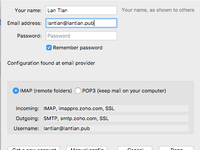
Many people have set up email systems on their own domain names. I also use Zoho's domain email service for my main site lantian.pub. However, a major drawback of using domain email is that it's difficult to remember server addresses for POP3, IMAP, SMTP, etc. When reinstalling systems or email clients requires reconfiguration, you have to log back into the email system to check server addresses, which is quite troublesome. If you use the Thunderbird email client, you may notice during account setup that Thunderbird has a "Retrieve settings from email provider" process. This essentially requests an XML document from the domain's web server containing email server configurations. By manually creating this configuration file and hosting it on your web server,...
Setting Up IPv6 Reverse DNS in DN42
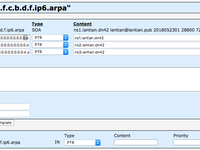
DN42, short for Decentralized Network 42, is a large-scale VPN network. Unlike traditional VPNs, DN42 utilizes technologies commonly deployed on internet backbones (such as BGP), making it an excellent simulation of a real-world network environment. In a previous article , I joined the DN42 network, registered my own domain in another article , and set up my own DNS server. Later, in this article , I configured IPv4 reverse DNS. At that time, due to some outdated information on the DN42 Wiki, I mistakenly believed IPv6 reverse DNS couldn't be configured. However, I've since confirmed it's possible through experimentation. Since the setup process is largely similar, this article will share significant overlap (copy-pasted content) with the earlier IPv4 guide....
Setting Up IP Reverse Lookup in DN42
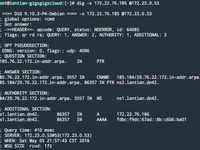
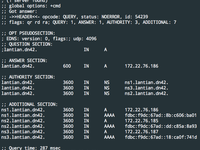
DN42, short for Decentralized Network 42, is a large-scale VPN network. Unlike traditional VPNs, DN42 utilizes technologies commonly deployed in internet backbones (such as BGP), effectively simulating a real-world network environment. In a previous article , I joined the DN42 network, and in another article , I registered my own domain and configured my DNS server. With a DNS server in place, we can now set up reverse lookup records for our IP addresses. Reverse lookup primarily aids in spam prevention and improves the appearance of outputs in network tools like ping and traceroute. Setting Up the Resolver for IP Ranges The first step is to delegate reverse resolution for your IP ranges to your DNS server. My servers are ns[1-3].lantian.dn42. While all could theoretically be specified,...
Registering Domain in DN42
DN42, aka Decentralized Network 42, is a large VPN network. Unlike traditional VPNs, DN42 uses a lot of technology involved in Internet backbones (such as BGP) and is a great simulation of a realistic network environment. In a previous post , I joined DN42 and connected most of my VPSes to it. (The ones left are OpenVZ VPSes without Tun/Tap support.) I knew from the beginning that DN42 has its own domain name system. For example, DN42's wiki ( https://dn42.dev/ ) can be accessed as https://internal.dn42 in DN42. I didn't register a domain back then since I didn't have time, and I didn't have much knowledge of DN42. I finished the registration this month and would like to share my experience. Building Authoritative DNS An authoritative DNS is responsible for a domain's records. For example,...
Snagged a 0.1-Discount VPS from 50KVM
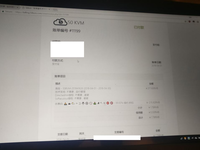
The largest hosting provider on TG, 50KVM, has gone bankrupt! VPSs originally priced at over 100 or 200 yuan are now all 2 yuan! All for 2 yuan! (Not really) The Beginning On Sunday, April 1st around midnight, lying in bed watching the latest episode of "National Team" Telegram notification pops up: 50KVM released an April Fools' discount: Since I finished watching "National Team," might as well try entering these emojis First Attempt Tried inputting emojis using macOS input method – turned out impractical since I couldn't recognize what these emojis were Googled "emoji list" Found an emoji reference site Emoji List Wait, macOS emojis look completely different from those in the image Took some guesses (After 5 attempts) Still need to identify the emoji font....
RoboMaster Development Log (Updated 2018-05-28)
Our school organized a RoboMaster team and planned to attend the competition this year. Since we are all new students at a new campus, we do not have any reference materials available from previous students, and we have to figure out bugs after bugs on our own. This post describes some of the problems we met during software development. Hardware: RoboMaster Official Development Board MCU Model: STM32F427IIHx Software: ChibiOS 18.2.0 Board Has 12 MHz HSE Clock Instead of Commonly Seen 8MHz The pitfall is that neither the manual nor the hardware schematics mentioned the clock frequency. Due to this problem, the actual frequency we programmatically set with STM32CubeMX or other software is much higher than expected. This caused the following problems:...
Setting Up a NAT64 Server
NAT64 is a technology that emerged during the transition from IPv4 to IPv6. It allows IPv6-only devices to access IPv4 networks by mapping IPv4 addresses to a specific IPv6 address range. However, since purely IPv6-capable devices are still uncommon, its current applications in China mainly focus on two areas: For educational network users where IPv4 is charged/rate-limited/volume-capped while IPv6 is free/unlimited, public NAT64 services can help save costs. For iOS app developers, it serves as a testing environment to pass App Store review requirements. We can also set up a NAT64 server on our own router with both IPv4 and IPv6 connectivity by installing appropriate software. Common solutions include Tayga and Jool. Tayga is outdated with its last update dating back to 2011,...
Raspberry Pi 3B Tinkering Notes: Hardware Watchdog
In computing, a "watchdog" refers to a hardware timer designed to restart a computer when it becomes unresponsive (crashes). The computer's operating system must run a program that continuously communicates with the watchdog hardware. When communication is interrupted for a preset duration, the watchdog will forcibly reboot the system by sending a RESET signal or cutting and restoring power, ensuring services running on the computer aren't disrupted for extended periods. During my Raspberry Pi tinkering, I've crashed it multiple times, forcing manual power cycling to restart. Enabling the hardware watchdog feature on the Raspberry Pi can minimize such occurrences. Loading the Driver Thanks to Linux's "everything is a file" philosophy,...
Solving the Raspberry Pi HW CSum Failure Issue
Today when I logged into my Raspberry Pi and ran df to check disk space as usual, I discovered the TF card was almost full. Initially I thought I had misconfigured settings, causing download files to save to the TF card instead of the external hard drive. After troubleshooting, I found that log files under /var/log occupied a staggering 18G of space. Checking the logs revealed continuous error messages like: Jan 25 22:51:15 lantian-rpi3 kernel: [ 22 . 143274 ] eth0: hw csum failure ... [original log content unchanged] ... Jan 25 22:51:15 lantian-rpi3 kernel: [ 22 . 143755 ] 3fe0: 76f2ace4 7e9b5cc0 76b29dd4 0006ac00 60000010 ffffffff That is, the Raspberry Pi's Ethernet interface was generating massive errors,...