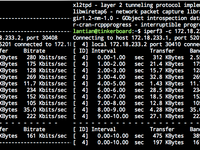
Is it 9102 already? Yes, it is. Why Do This I have a Raspberry Pi 3B and an ASUS Tinker Board. Sometimes issues like Wi-Fi failures/configuration errors/ pacman -Syu system breakage might cause one board to lose network connection. By connecting the serial ports of both boards and establishing a dial-up network connection, I can SSH into the problematic board from the other one when Wi-Fi or Ethernet fails. (Also, if you buy a Raspberry Pi without tinkering with GPIO, you might as well get an x86 Atom mini PC instead) How to Set Up Hardware Setup: Connect the serial ports of both boards. The Raspberry Pi's serial port uses Pin 8 (TX) for transmission and Pin 10 (RX) for reception (check pinout.xyz ). The Tinker Board's serial port also uses Pin 8 (TX) and Pin 10 (RX)....
Bird-lg in Go (Bird Looking Glass)
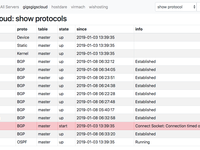
What's BIRD? And What's Bird-lg? BIRD is a popular BGP routing software used on Linux. I mainly use Bird in the DN42 network , to establish connections with other users. Bird-lg is a Python 2 based program developed by GitHub user sileht. It provides a web interface to show the status of BIRD routing software on each server, as well as query routes to specified IPs. Why Rewrite in Go? Bird-lg is based on Python 2 and Flask and takes more memory (20-30MB). Bird-lgproxy also takes around 20MB and is required on every server. On the 512MB VPS where this site is hosted, there had been multiple cases where memory ran out, and the on-disk SWAP was too slow. In this case, Docker, Nginx, MySQL, PHP would crash one after one, and a reboot would be necessary....
BuyPass GO SSL Certificate Trial
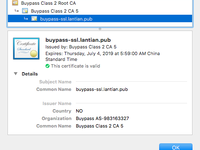
BuyPass is a Norwegian Certificate Authority (CA) that provides various services including digital certificates and security authentication products. Recently, BuyPass launched an ACME-based automated certificate issuance service called BuyPass GO, similar to Let's Encrypt. The main difference from Let's Encrypt is that their certificates have a 180-day validity period per issuance—twice as long as Let's Encrypt's. Therefore, if you need to manually replace certificates for your service, BuyPass certificates are more convenient. Additionally, BuyPass currently doesn't support issuing wildcard certificates (commonly called wildcard certs?), requiring all domain names to be listed individually. (Though personally, if manual certificate replacement is needed,...
Using Docker Build Args to Share a Single Dockerfile Across Multiple Architectures
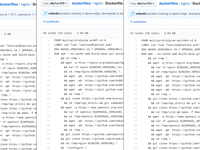
Since I have multiple architecture devices running Docker (including x86 servers, Raspberry Pi, Tinker Board), for each commonly used software, I need to build an image for each different architecture . Previously, my approach was to maintain a separate Dockerfile for each architecture, similar to this : You can see that each Dockerfile is almost identical except for the base image referenced in the FROM instruction. While this management method simplifies writing build scripts (travis.yml) by allowing direct docker build commands for each, the drawback is obvious: every time the software version updates or I decide to add/remove a feature, I have to modify multiple Dockerfiles. Two days ago while researching, I discovered a Docker feature: Build Args,...
pfSense Configuration for IPv6 Multi-WAN Automatic Failover
Just a few days ago, HE.NET Tunnelbroker's French server experienced an outage. When I configured my Kimsufi server, I assigned the native IPv6 addresses to ESXi for exclusive use (as described in this article ), leaving pfSense with only native IPv4 and obtaining IPv6 addresses through Tunnelbroker. Consequently, all virtual machines on the server lost IPv6 connectivity. More critically, since I had set up a NAT64 service on the server following this article , and configured pfSense's DNS resolution to prioritize Google DNS's NAT64 servers (2001:4860:4860::64 and 2001:4860:4860::6464) with IPv4 as fallback, DNS resolution almost completely failed due to the IPv6 outage combined with pfSense's long DNS timeout settings. To prevent such cascading failures from recurring,...
Configuring LDAP Authentication for nginx
My various servers host different services, each with its own username/password system, making unified management difficult. If my password were compromised in the future, changing them individually would be extremely tedious. Therefore, I want to use a dedicated service to manage usernames and passwords, with all other services obtaining authentication information from it. LDAP is one of the commonly used authentication protocols. Not only do many applications natively support it (including Jenkins, pfSense, etc.), but through plugins, nginx can also support it, adding unified authentication management to any web-based service. Adding the Plugin If your nginx is compiled from source, adding the LDAP plugin only requires three steps: apk add openldap-dev git clone https://github....
Writing Stories in Traceroute
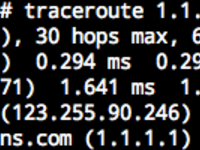
2020-10-11 Update Now a better way exists that doesn't involve a bunch of Docker containers. Please refer to Writing Stories in Traceroute, Elegantly . Intro Traceroute is one of the popular tools for network inspection. It shows the IP addresses of routers on the route from your computer to a destination server, similar to: Domains are shown on the last 2 hops, which is the IP's reverse DNS record. Reverse DNS records exist as PTR records in the format of 4.3.2.1.in-addr.arpa . For more information, you may refer to Setting IP Reverse Records in DN42 . However, PTR records need not be real domains. They can be any string that "looks like" a domain. With this, we can write one sentence on each hop of a Traceroute path to make a story: This story is set up in DN42....
Building ARM Docker Images on x86, Automated Builds with Docker Hub and Travis
Typically, Docker images are created by running specified commands step-by-step within an existing image. This process poses no issues for most users on x86 architecture computers, as the architectures are compatible. Images built on one machine can usually run directly on others, unless the programs within the image use newer instruction sets like AVX. However, there are ARM-based hosts that can run Docker and execute specially compiled ARM architecture images. These include Raspberry Pi series and similar boards like Cubieboard, Orange Pi, Asus Tinker Board, etc. Additionally, hosting providers like Scaleway offer ARM-based dedicated servers. Since ARM architecture systems cannot run on x86 computers, you can't directly generate ARM architecture images via Dockerfile on x86 machines....
Optimizing Docker Image Size
Since switching from OpenVZ-based VPS to KVM-based VPS, I've been using Docker to deploy essential services like nginx, MariaDB, and PHP for my websites. This approach not only simplifies restarting and managing configurations for individual services (by mapping all configuration directories together using volumes) but also streamlines service upgrades. For example, my blog's VPS has limited resources, with memory usage consistently around 80% recently. When updating nginx or adding modules, compiling directly on this VPS would be slow and risk crashing the site due to insufficient memory. With Docker, I can build images on other resource-rich VPS machines or my local computer, push them to Docker Hub, then pull and run them on the production VPS. However,...
nginx: TLS 1.3 Multi-Draft Support and HPACK
It has been 11 months since I last enabled TLS 1.3 for nginx. After nearly a year, many nginx-related programs and patches have undergone significant changes: OpenSSL has released beta versions of 1.1.1, with the latest being 1.1.1-pre8 (Beta 6) at the time of writing. nginx has been updated to version 1.15.1. Bugs in nginx's HPACK patch (HTTP header compression) have been fixed by subsequent patches. Using the original HPACK patch causes abnormal website access, manifesting as protocol errors when attempting to load subsequent pages after the first. A developer has released an OpenSSL patch enabling the latest OpenSSL to simultaneously support TLS 1.3 draft versions 23, 26, and 28. Lets Encrypt certificates now include Certificate Transparency information by default,...